
Categories
Blog Social Media Marketing Tips and Tricks

Optimize Facebook For Your Business

facebook21

Linking It All Up: Making Business Connections Through Facebook

In today’s high tech marketplace, using social media can make the decisive difference between a business that is growing and one that is stagnating. At the forefront of the social media scene, with over a billion users, is Facebook. While it may have gotten its start as a central destination for college students, today’s Facebook users come from all demographic groups. This makes Facebook a critical tool for any business looking to actively grow its customer base and build brand loyalty. Facebook offers a wide variety of possibilities for engaging customers over the internet. Try these tips for optimizing your business’s Facebook profile, and watch the returns roll in.

Use a Vanity URL

One feature of Facebook is that users can customize their URL, rather than using the randomly generated combination of numbers and letters otherwise assigned to profiles. Choose a simple vanity URL using your business’s name. This will make it easier for potential customers to find your business’s Facebook page. Make sure to add this URL to all of your company’s advertising communications, such as business cards and newsletters. You want everyone who works with your business to be reminded to check out your company’s Facebook page.

Create a Landing Page

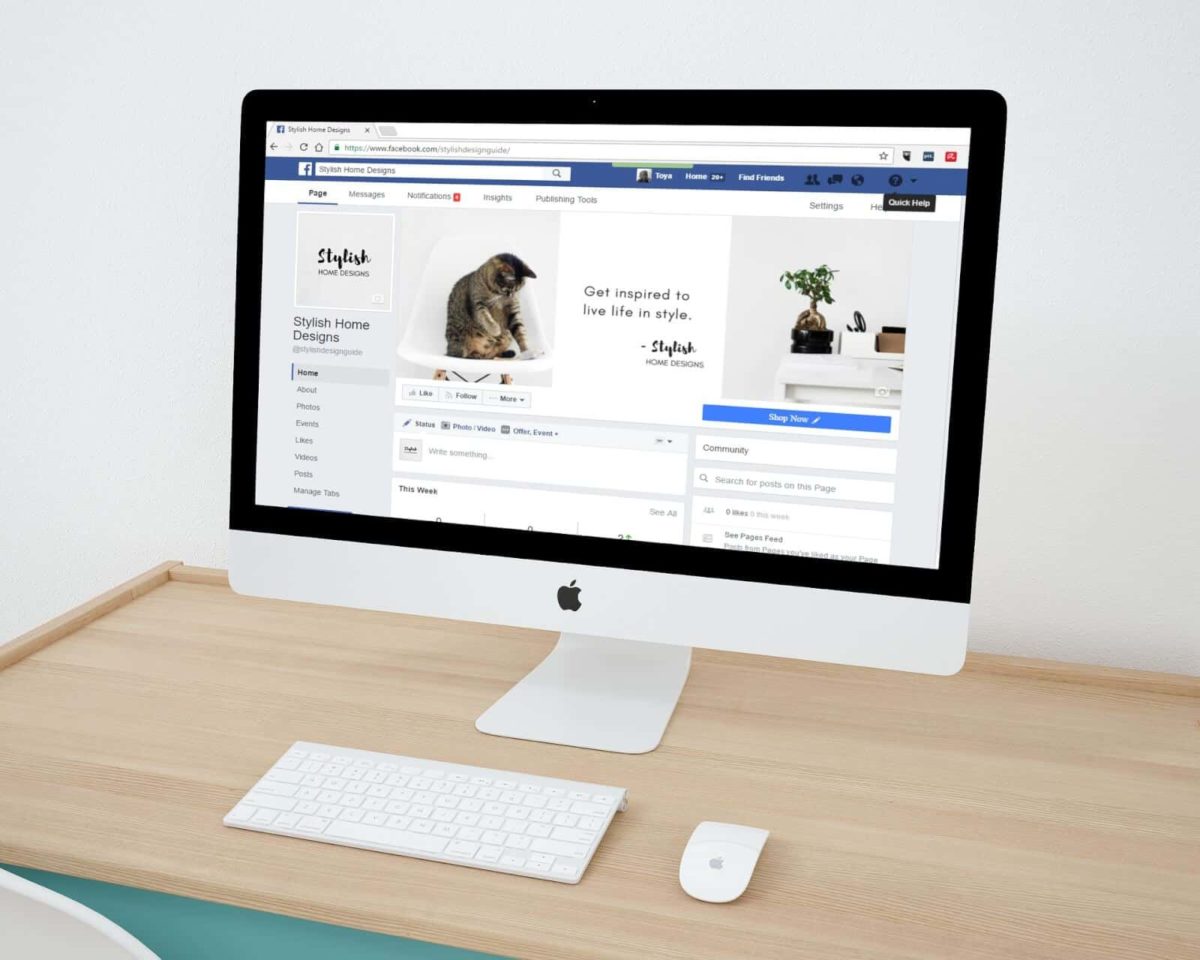
When businesses think about Facebook, many erroneously believe that all Facebook pages look the same: contact info, a few links, and that’s about it. But it doesn’t have to be this way. One way to draw customers to your Facebook page is by creating a landing page or welcome screen that appears to any new visitor. Your landing page can invite users to like the page and often offers them an incentive for engaging, such as coupons or entry into a contest.

In addition to offering promotions, a Facebook landing page can also be graphically interesting, displaying a well-designed advertisement or other image, for example, rather than just the usual Facebook skeleton. Once customers like your page, they can then move on to the more typical Facebook structure, displaying your posts and business information. But that first incentive to engage with your page is important – once customers “like” your page, they subscribe to your posts, integrating your business into their individual Facebook experience.

Gather Customer Data

Another feature that can be added to a business Facebook page is a customer information form. Just like a form on any other website, a Facebook form can allow customers to enter things like their demographic data, email, birthday, and phone number. This kind of information can help businesses get a sense of who their audience is and can also be used for other business promotions, such as birthday coupons. Customer data is extremely valuable for understanding who your business is reaching and better targeting your outreach and advertising.

Share Photos

Do you have photographs of your staff at a company event? Or of satisfied customers using your product? Sharing relevant business photographs on Facebook is a great way to build your brand. Informal photographs help to make your business seem real and friendly to potential customers. Invite customers to submit photographs of themselves using your product and make sure to capture company events on camera, like holiday parties or office birthday celebrations.

Play The Expert

One thing that your business should absolutely be sharing on Facebook is industry insights. Post links to articles about innovations in your industry to demonstrate your engagement with the field. Your Facebook communications do not need to all be explicitly about your specific business, but should reflect the position of your company in the larger marketplace. Posting this type of information also encourages other businesses to engage with your Facebook page, not just individual customers. In the same vein, “like” the pages of allied businesses to create a larger picture of your company’s place in the industry.

Create Content

Facebook content can come in a variety of different forms. Some of it, like links to relevant articles, is produced by people outside of your company. The majority of the content on your business’s Facebook, however, should be company specific and created by your company. Post short updates daily or every few days that tell customers what your business is doing. Did you just get a shipment of a new product? Are you collaborating with another company? Are you offering a promotion? All of this should be shared as status messages on your Facebook.

Another type of content to focus on for your company’s Facebook page is blogs. Publish blog posts at your main website and link it to your Facebook. This allows you to share longer form information about your business and can help redirect customers from your Facebook to your main website. By engaging customers in multiple online forums, you increase their familiarity with your business and make potential customers more likely to become actual customers.

Use Widgets

What’s a widget? A widget is a tool that can be embedded in your web page to increase functionality. Companies like ShortStack offer widgets for you company’s Facebook page that can make it do an assortment of new and exciting things. For example, ShortStack offers a widget that can help your company run contests through your Facebook page. The widget allows your Facebook page to collect customer information so that you can choose a winner. But that’s not all widgets can do.

Widgets are great for improving the ability of customers to interact with your company’s Facebook page. ShortStack, for example, will not only help integrate YouTube, Vimeo, SoundClound, and more into your Facebook page, but will also offer a wide variety of ways for your visitors to engage with all of this media. ShortStack’s widgets are free for small business pages and cost as little as $15 a month for businesses with more than 2,000 Facebook “likes.” This makes widgets a low cost way to get a huge return on investment.

Integrate Your Social Media Presence

Another way to integrate your social media presence and draw in customer interest is by taking advantage of the different formats that each platform specializes in. For example, a customer might ask you a question on Twitter. Since Twitter is a short-form platform, try writing a blog post on your home webpage, answering the question. You can then link this blog post to Twitter, answering the question, and post both to your Facebook page. This may sound like a lot of steps, but in reality, combining your social media presence in this way will reward your business with much greater customer involvement.

Making The Most Of Social Media

Managing your social media presence is a critical part of running a business in the 21 and one of the great things about social media is that it is essentially a level playing field. Even the smallest business can have a dynamic Facebook presence with just a little time and effort. That means that whether you have 200 customers or 2 million customers, social media can benefit you. A strong social media presence can help to build brand recognition and loyalty, particularly because it puts a personal face on every business. With Facebook, you can treat every customer like a friend.

Categories
PPC Social Media Marketing Tips and Tricks

Converting Customers With Google+ Hangouts

Google+ hangout

How Google+ Hangouts Can Help Your Business


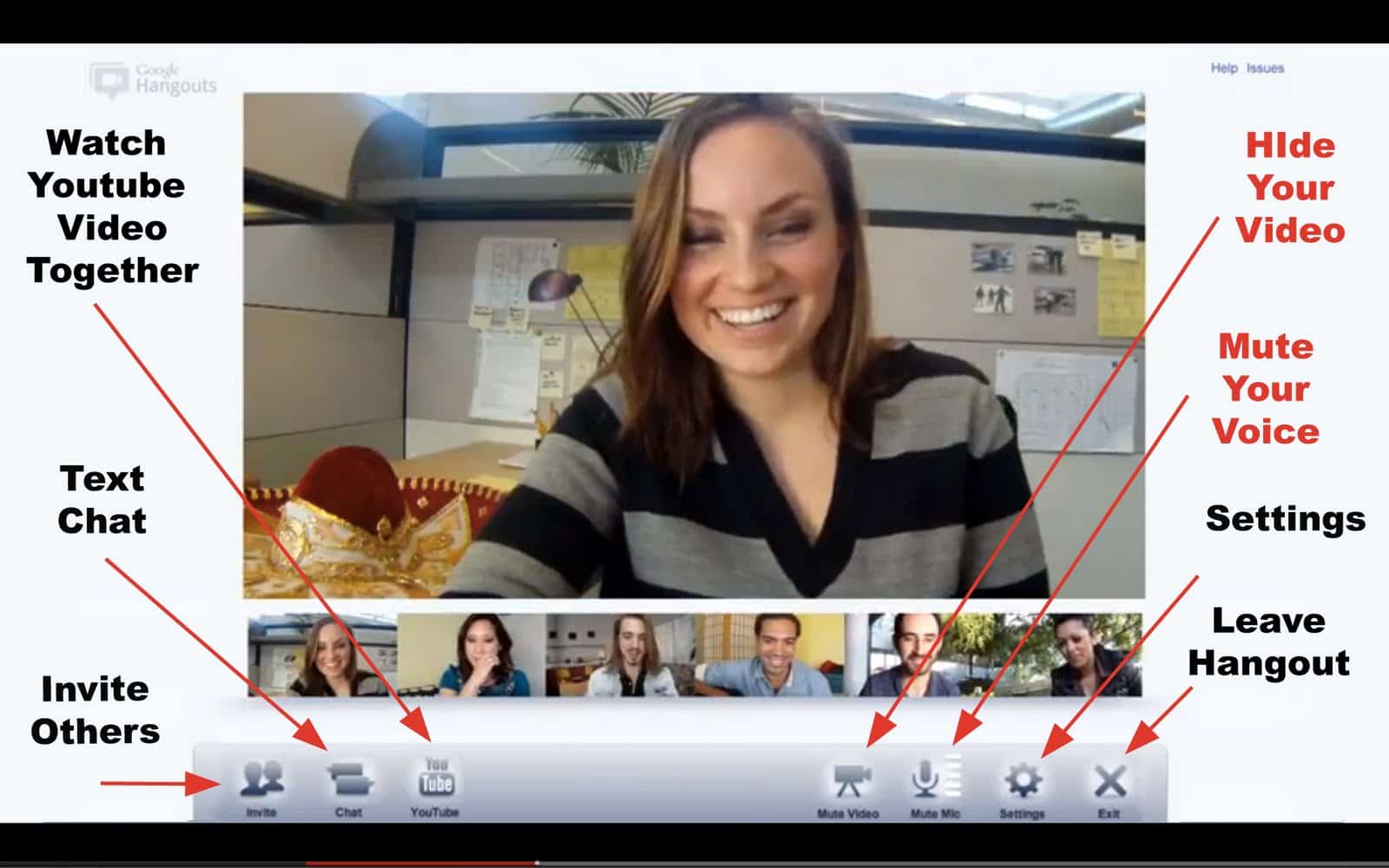
Google+ tends to be the overlooked younger brother of social networking, but Google+ – particularly its “hangout” function – has a lot to offer your business. Google+ hangouts allow your team to chat simultaneously with up to 9 other Google+ users, but it can do much more than that. Imagine everything you could do while chatting on a live video stream! Google+ hangouts is a great tool for small businesses that want to bring in more customers. As a mechanism for growth, Google+ is tops.

Getting Your Business Started With Google+

To use Google+ hangouts, your business first needs a Google+ account. This is easy to get and a valuable tool for any business. Google+ even offers different options for different kinds of businesses. That means that a page serving as publicity for your small local business will look different from a page for a national product brand. Having an official Google+ page can also improve your search engine rankings, especially if you link your Google+ page to your company’s official website.

How Do Hangouts Work?

The closest comparison that can be drawn to a Google+ hangout is a Skype session, or perhaps even a face-to-face meeting. What makes Google+ hangouts different from Skype, however, is that you can chat with more than one person at once through a hangout. In fact, you can “hangout” with up to 9 other people in a Google+ hangout, as though they were all right there in the room.

To join a Google+ hangout, everyone logs in through their Google+ account and then you invite them to the hangout through your company account. After people join the chat through that invitation, all of their faces are visible at once via webcam, making it seem like you’re all in the same place. Google+ hangouts have a wide variety of uses for small businesses and can really help bring customers in the door.

 Google+ Hangouts For Product Demos

One great use of the Google+ hangout feature is doing live product demos. Maybe you’ve recently received a new product that you want to tell your customers more about, or perhaps you have an older product that you think deserves a bit more attention. Do a product demo! Set up everything you need and invite some of your valued customers to log on and watch. Customers can ask questions as you go along because the whole set-up is live. While they may not be able to reach out and touch the product that you are presenting, a Google+ hangout-based product demonstration can be just as powerful in attracting customer attention to a product and to your business in general.

Inviting valued customers to take part in a product demo is also a great way to express how much you value their input and opinions. This makes the chosen customers that much more likely to come back to your business regularly, and even to purchase the product you demonstrated through Google+ hangouts.

Google+ Hangouts For Customer Service

Another way to use Google+ hangouts is as a way of offering great and personalized customer service. Some businesses make a point of logging on to Google+ at a certain time each week and just waiting around for customers to drop in and ask questions – kind of like a professor’s office hours in college. Customers can see that you are online and can request to hangout with your business. This allows them to ask you questions face-to-face, and gives them an experience equivalent to having come into your place of business to ask their question. Customers appreciate both the general availability of businesses that provide this kind of customer service, as well as the convenience of not having to make an extra trip to the store.

 Google+ Hangouts On Air

The hangout “on air” feature is a special tool offered through Google+. Essentially, this feature allows you to record a Google+ hangout. So, for example, if you were to do a product demonstration live for nine of your customers, you could also record that demonstration. That video could then be uploaded to YouTube or your Google+ page so that other customers could watch the demonstration at their convenience. This allows your company to multiply the number of people it reaches through any Google+ hangout – suddenly, a chat with 9 people has turned into video marketing to one hundred individuals. Some other things you can use Google+ hangouts on air for include:


  • Chats with experts in your line of business
  • Behind the scenes tours of your company
  • Hosting a webinar
  • Answering submitted customer questions
  • Giving a press conference


The on air feature of Google+ hangouts really multiplies the reach of any video-based marketing. It also makes your Google+ video content available at the times that suit your customers. Maybe you have some loyal customers who would love to participate in your webinar, but want to do so at 2am. With Google+ hangouts on air, any time is a good time for customers to engage with your business.

Google+ Hangouts For Crowdsourcing

One of the best ways to convert customers or to keep established customers coming back to your business is by showing that you care about their opinions. Crowdsourcing through Google+ hangouts is an ideal way to engage with customers, allowing them to offer feedback on your business’s services and products and helping your company to improve. In many senses, crowdsourcing is just the old-fashioned comments box gone live.

You can advertise your crowdsourcing efforts through your brick and mortar business as well as through your Google+ page. Let customers know that you will be setting up times to meet with groups and hear their feedback on your business. Customers today are very comfortable providing feedback through various social networking platforms, making Google+ an ideal way to solicit feedback. This kind of video-based crowdsourcing is similar to what a lot of businesses do today on Facebook: they pose a question and listen to their customers’ answers. In a Google+ hangout, customers can see that you’re really listening, and you have room to think on your feet, offering solutions and suggestions, and generally engaging with customer feedback on your business.

Building Your Brand With Google+ Hangouts

Google+ hangouts may seem like a cumbersome medium for building your brand, but as part of a larger, social media-based business growth plan, it can really work to increase customer traffic and involvement with only a limited investment. For example, if you know that 2pm on Thursdays is always a dull time in your store, it’s the perfect time to film a product demonstration through Google+ hangouts on air. You can use an otherwise profitless time to create something that is guaranteed to get you a great return on investment.

It is precisely this low cost for high return on investment that makes Google+ hangouts an ideal way to build you brand. And having an active Google+ presence will only improve your search results with this leading search engine. So let your customers know what your business is doing. And let your customers tell you what your business could be doing better. With Google+ hangouts, the conversation goes both ways. With Google+ hangouts, your company can go live and grow as you reach out to customers in a new and innovative way.

Categories
Blog Social Media Marketing Tips and Tricks

Facebook-Based Contests For Your Customers

facebook contests

Running Contests Through Facebook

One way to generate increased interest in your company’s Facebook page is by running a contest. Customers and potential customers love contests – the chance to win something by doing virtually nothing is hard to resist. And that’s the beauty of online contests. Typically all a customer needs to do is to enter their contact information, hit “submit,” and cross their fingers. Facebook can be a great platform for running contests, and those contests are good for business.

Why Companies Run Contests

Contests with modest prizes are, like many forms of advertising on the internet, a low cost way to get a big return on investment. One thing that sets contests apart from regular internet marketing, however, is that it makes it even easier to reach new customers, rather than just engaging current patrons. The technical term for the effect contests have is “lead generation. This means that contests literally create a larger audience for your business.

There are really two parts to lead generation: you are both growing your general customer base, and more specifically, you are growing the audience for your Facebook presence. Because customers typically have to “like” your Facebook page to enter a contest, your company’s regular social media programming will become part of their feed. This helps to generate brand recognition and can help convert potential customers into actual customers. You can also have customers enter contact information and demographic data when they enter a contest on your page, helping your company build a database of customer information.

Another reason why companies run contests is as a way of rewarding current customers. This act of rewarding often has a return effect, even for those who don’t win. Because contests are understood as an act of generosity, customers often feel obligated to reciprocate by making apurchase. This can make contests very profitable.

The Mechanics Of Facebook Contests

To run a Facebook contest, you will need to use an application. Facebook does not host contests through any type of native programming. Apps for running contests can range in costs from nearly free to hundreds or thousands of dollars a month, so make sure to choose one that is both flexible and affordable. The application you choose can be installed directly on your company’s Facebook page, and ideally also on your company’s main web page. When you download a contest application, that application will create a new tab on your company’s Facebook page through which to run the contest. Different applications will structure your contest in slightly different ways, but they all ultimately work on similar principles.

It is also important that you know Facebook’s contest rules before you try to run one. There is an extensive list of rules about how to run a Facebook contest. One of the most important is that you cannot use a native Facebook tool, such as the “like” button to have customers vote on things. This is one way that Facebook prevents users from running contests without an application.

Another important rule is that you cannot put reminders to vote or enter a contest in your cover photo. When it comes to notifying contest winners, you must first email, telephone, or otherwise notify winners of a contest before you can announce their name on your Facebook page or contact them via Facebook message. Finally, when you post a Facebook contest you must make it clear that Facebook is not the one sponsoring your contest. Make sure to read these rules carefully before attempting to run your Facebook contest.

Making Your Contest Successful

It can be hard to tell which Facebook contests will really be successful in bringing in a new audience and engaging customers, but there are several things that your company can do to improve the odds of running a successful contest.

  •  Integrate your social media platforms. It is not uncommon for companies to think of Facebook as the only medium for their contest, but customers are using all kinds of different social media platforms. Link your contest through your homepage, to your Twitter, and through any other social media platforms your company uses. This makes sure that no customers are left out.
  • Engage customers in choosing a winner. Once they have entered a contest, it is easy for customers to stop engaging with your company’s Facebook page. Give them a reason to keep coming back by involving customers in choosing the winner. How can you do this?Take a page out of Zipcar’s book. For one contest, Zipcar selected a group of finalists to win a trip. They then asked those finalists to make videos explaining why they wanted to go on a trip. Customers were able to watch the finalists’ videos and vote on the video they thought was the best. Strategies like this can help keep customers engaged in thelong term.
  • Encourage customers to check in. One mistake that companies can make is to overlook the relationship between the social media presence and the brick and mortar business. A great way to solidify the link between the two is to make “checking-in” at your store a part of your promotion. Facebook’s check-in feature allows customers to post statuses that note when they are in a particular location. Adding a check-in feature to your Facebook contest is also a method of lead generation, growing the audience for your social media site.
  • Choose the right prize. A Facebook contest will really only be successful if you choose a prize that is appropriate to your business. Sure, there are plenty of high-profile things that your company could give away, but if they have no relevance to your business, they aren’t helping to build your brand. This is a common mistake that companies make. One popular item to give away is an iPad. This makes sense if you are a technology business, but less sense if you are a hair salon. Keep your prize relevant if you want it to really contribute to your company’s brand.
  • Use Facebook ads. One of the difficulties with a Facebook promotion is that without additional outreach, it will only reach the people who are already engaged with your company. Facebook ads can help your company to reach a new and wider customer base. Keep your Facebook ads simple and clear and watch the new visitors roll in. Facebook ads are also a great tool because Facebook excels at targeting users with specific interests. This makes it much more likely that your ads will reach a receptive audience.
  • Follow up with the winners. The winner of your Facebook contest is a great person to target when looking for an endorsement. Follow up with your winner and ask them to write a guest blog or make a video showing them using their prize or talking about their satisfaction with your company.

Will A Contest Benefit Your Business?

Not every business will benefit from holding a Facebook contest. Small companies that target a niche market are far less likely to benefit from a contest than companies with a wider reach. Consider what your company’s goals are in running a contest and whether or not there are other ways to meet them. Maybe running Facebook ads independent of a contest will get you the same results. Or maybe your company would benefit by producing more original content, rather than running a contest. Running a contest just because people like contests isn’t a productive thing to do.

If after consideration you think that your company will benefit from running a contest, then go ahead! Pick a great and appropriate prize, choose a Facebook application, and get started. Facebook contests can be extremely rewarding, help to build brand loyalty, and increase your customer base when well executed.

Please comment with any ideas you have used recently. Thanks for sharing our content! 🙂

Categories
Blog Social Media Marketing Tips and Tricks

Instagram video – a vine killer?

instagram-vs-vine-feat1

Is Instagram Video The Next Big Thing?

Last week, the digital photo program Instagram – best known for allowing smartphone users to tint and alter photographs and share them with friends – released a new feature: video. Instagram’s video service is up against competitors like Vine, which specializes in video, and already has a significant user base. Can Instagram’s video program compete with Vine? Or can it carve out a new market niche? Let’s look at some of Instagram’s video features.


#1 – 15-Second Video


Instagram’s video clips are 15 seconds long, more than twice the length of Vine’s 6-second video clips. While still short enough for the sort of instant uploading and sharing Instagram is known for, the 15-second format has generated a lot of interest. 15 seconds is also the length of short internet video advertisements. Many are wondering if there will be some kind of advertising connection coming in the near future.


#2 – Filters


It wouldn’t be Instagram if there weren’t an assortment of filters that could be applied to your video. There are currently 13 filters available for Instagram videos. Since filters are a large part of the Instagram brand, this is an unsurprising feature. Video filters work in much the same way as photo filters, adding a tint or coloration that often makes the product look vintage.


#3 – Analytics


Instagram is no newbie to the internet ratings games, and so their video program was launched with accompanying analytics. This is great for bloggers who want to see how well the new video format is reaching their audience. The analytics feature encourages users and businesses to take their Instagram videos to bigger platforms.


#4 – Editing


As part of their video program, Instagram has integrated basic editing features. Essentially, users are expected to film their videos clip by clip. You can only delete the last clip that you filmed, so with Instagram video, you need to edit as you go. At this point, there is no hint that more comprehensive editing tools are anywhere in the pipeline.


#5 – Stabilization


Instagram’s video will eliminate the shaky hand effect that often accompanies smartphone videos. This is called the Cinema feature in the application and it definitely provides for a smoother video production experience for users.


#6 – Cover Frames


Instagram allows users to select a single frame to show as the cover of their video. This can be a particularly great image from within the video or something like a blog URL written out, reminding users of the larger brand being marketed by the video.


Features Businesses Are Jumping On


Instagram’s video application is only days old, but already there are certain parts that have generated interest from both small and large businesses. The main point of interest is the video length. Because Instagram videos are the same length as internet advertising spots, many companies are in the process of working up Instagram-based product advertisements.


The cross-platform potential of Instagram is another popular feature that businesses are examining closely. Instagram is not yet offering embed codes for its videos, but you have always been able to cross-post things between Instagram, Facebook, Twitter, and Tumblr. This means that Instagram videos have the potential to pop up on a variety of social networks.


Of course, another feature of Instagram video that is holding the attention of businesses is the cost of creating advertisements. Because Instagram is part of the level playing field that is social media, production costs can be low, but reap a major return on investment if an advertisement is successful.


American Licorice Co.: Ahead Of The Game


Because Instagram video has just hit the scene, most companies aren’t ready to fully use it yet. One company, however, is well ahead of the rest, and has already posted its first Instagram video advertisement on Facebook. That brand is the American Licorice Co., the maker of the popular Red Vines candy. The American Licorice Co. quickly put together a 15-second film spot about how Red Vines candy “makes the day sweet, no matter where it takes you.” It’s too soon to say if customers are biting, but it’s not for lack of effort on the part of this company. Other brands are sure to follow.


The Competition With Vine


As soon as Instagram video hit the ground, users started comparing it to another social media-style video platform – Vine. Vine is dedicated to making short videos and has a particular appeal among younger demographics. In many cases, though it only makes shorter videos, Vine is coming out ahead in the race between video applications. In one competition, a popular photographer and videographer on both platforms made identical stop motion animation videos on each platform and polled the viewers. Nearly every one of the thousands of viewers chose the Vine video over the Instagram video as their preferred video.


Vine and Instagram are perfectly paired to enter a video showdown, particularly because Vine is owned by Twitter, and Instagram is owned by Facebook. Each program matches the larger format of its owner well, with Vine making shorter videos that suit the abbreviated Twitter format, and Instagram working in the slightly longer form like Facebook. Instagram’s videos are more like YouTube videos, playing only a single time when the play button is pressed, as opposed to Vine’s constantly looping videos, which tend to appear more like GIFs.


Currently, one of the reasons Vine is pulling ahead of Instagram is the lack of an embed feature on Instagram. Vine’s videos can be easily embedded, meaning that they can be transported to any social networking or blogging platform. At launch, Vine was in the same position as Instagram, and did not offer an embed feature, so it is expected that Instagram will introduce this feature within a few months. A few months is more than enough time for Vine to pull ahead in the video production game.


Still, for those interested in making slightly longer videos, and those who are looking for more editing options, Instagram video might hold just the right amount of appeal. Because Vine doesn’t offer an editing option, you have to discard the entirety of any video that contains a mistake. Admittedly, because Vine’s videos are only 6 seconds long, you won’t be losing a lot of work, but it can still be a hassle. Instagram allows you to delete the most recent section of your video and start over from an earlier point. It also has its ubiquitous filter feature, without which it simply wouldn’t be Instagram. These editing features could be enough to sway some Vine users over to Instagram.


Which Format Is Best For Business?


By and large, while Vine may remain popular with a small base of loyal, mostly younger users, Instagram video is a better format for businesses looking to get into video. The longer format is an advertising length that companies are used to, and the looping feature on Vine is more of an annoyance than an improvement when it comes to advertising. But the biggest aspect that should draw businesses to Instagram is the massive user base on Instagram. There are currently about 130 million Instagram users, compared to only about 13 million Vine users. If you want to reach a wide audience, Instagram is the way to go.


There’s still room for development in terms of video quality, embedding, and even editing, but Instagram video is well on its way to changing the face of online marketing for small and large businesses. In the short, do-it-yourself platform of Instagram video, everyone can compete for a share of the market.